
How I Use AI #1
Managing a team of agents
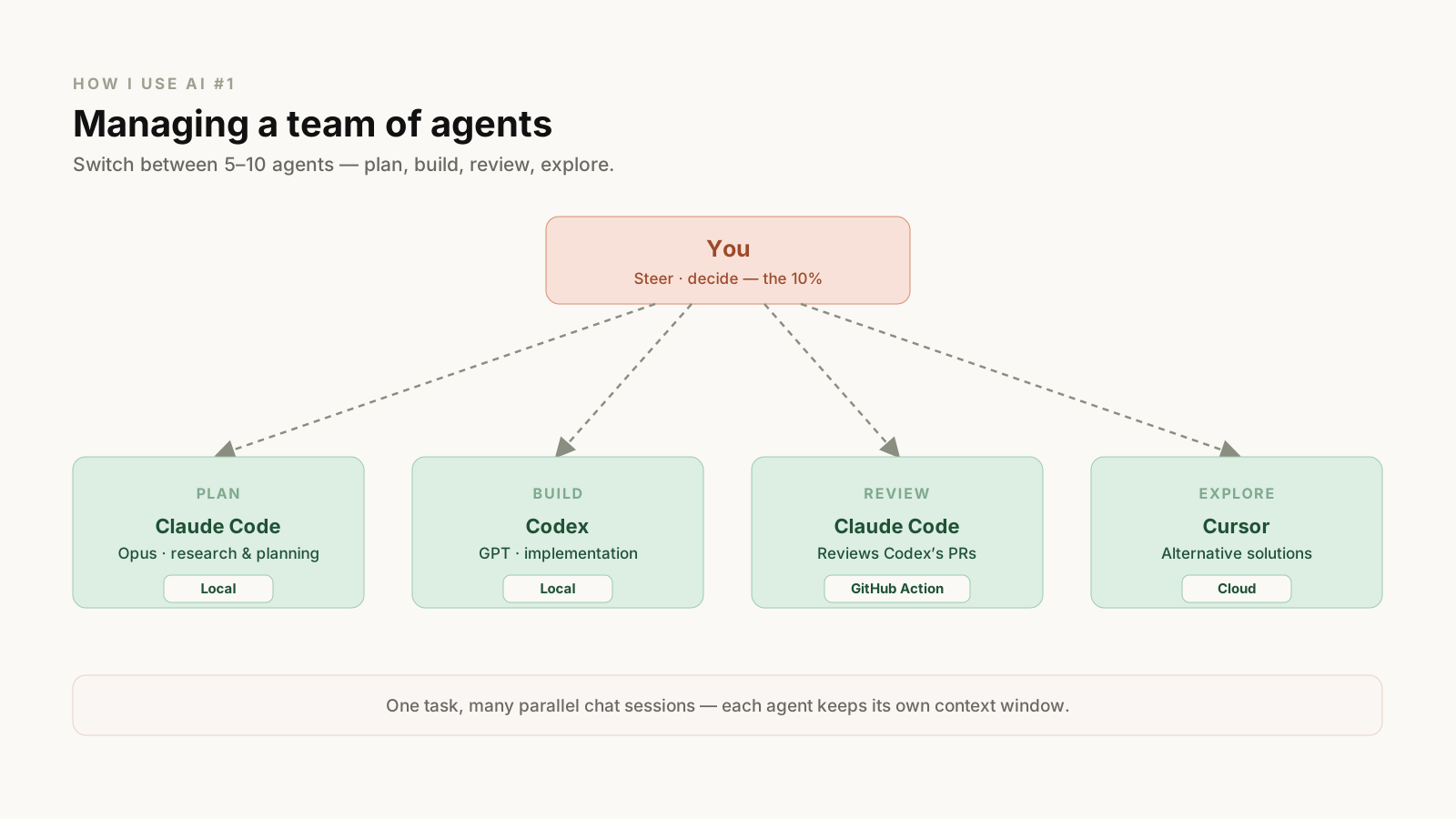
Just a few years ago, one of the most common productivity tips was "Deep Work." Now, the ability to switch between 5–10 different agents without stress is probably the more important skill. That makes software that helps you seamlessly switch between multiple agents really valuable. Personally, I use Conductor. The reason is that it supports multiple coding agents like Codex, Claude Code, and Cursor.
Say I want to implement a feature: for the research and planning work, I use the Opus model from Claude Code, and for the implementation, I mainly use Codex. I also use Claude Code to review Codex's output through a GitHub Action — and sometimes I have Codex review locally as well.
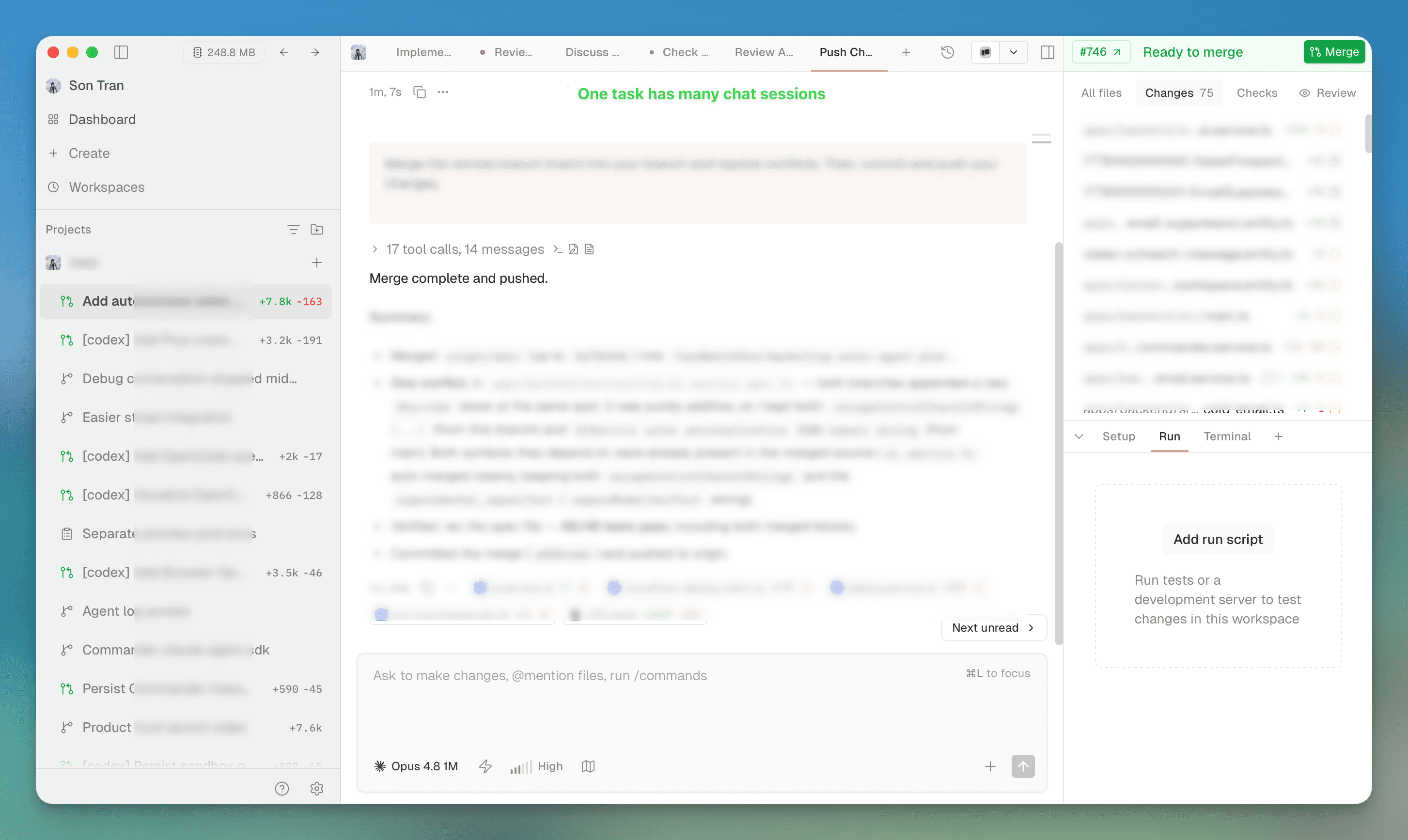
What I like about Conductor is being able to run multiple chat sessions within one task. Of course, with the Codex app or the Claude Code app you can easily spawn multiple agent instances using worktrees, but each instance gives you only one chat session with a limited context window. With Conductor, while Codex is running an implementation, you can have another Claude Code session exploring alternative solutions.
Each agent has its own harness and personality. Generally, I see Claude Code/Opus as a creative, principal-level engineer — knowledgeable, with the ability to come up with new solutions — while Codex/GPT is more like a reliable engineer who can follow the roadmap and execute the tasks very well.
Moving agents to the cloud
I use remote agents a lot, from both the mobile and desktop apps of Claude Code. A cloud agent means it runs on a remote server. For example, when you run an agent on Claude Code cloud, it provisions an isolated sandbox environment for the new session, pulls the code from GitHub, and runs Claude Code there.
I think that in the future, delegating work to an agent will feel a lot like sending a message on Slack — just open the mobile app and send the message. With remote agents, you can also check your results while you're walking or on the train.
Another benefit is that you're not limited by your laptop's hardware; you can spawn 10 different agent instances without making your laptop go brrr. The downside is that cloud agent sessions aren't permanent, so your environment variables and personal setup aren't available.
Cloud agents also enable more interactive, asynchronous agents. Most agents today run because a human triggers them, but soon enough agents will be triggered and run by machines. For example, when an error is thrown to Rollbar, an incident response agent can run to fix the bug and open a PR. A design change in Figma can trigger an agent to update the business logic on GitHub. And so on.
Loops and automation
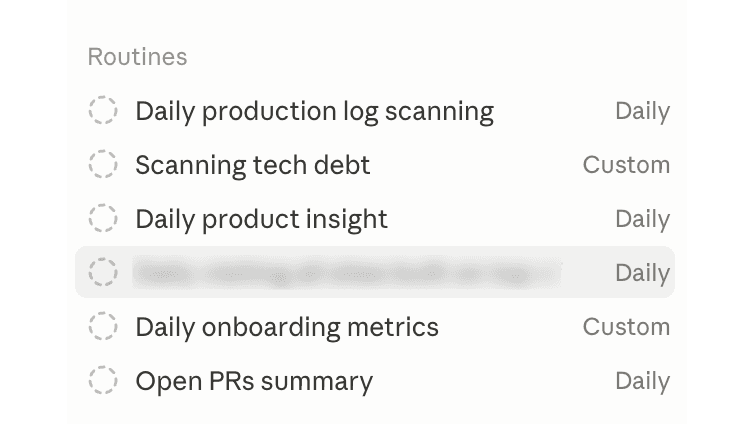
The Loop (Routine) and Automation features from Claude Code and Cursor have a lot of potential, and they can run on both your local machine and a remote server.
Basically, you can set up agents to run periodically — daily or weekly — as well as trigger them to run when something happens. For example, when we have a new release on production (a pull request is merged), we want to draft a release note and send what has been released to our sales and customer support teams.
Some of the loops I've set up:
- Daily log scanning: analyze the logs from AWS to identify potential bugs and make fixes. Sometimes an error isn't thrown to Rollbar and only shows up in the logs.
- Weekly tech-debt review: check the code and commits from the last 7 days to spot new tech debt in the project, especially in the core business logic.
- PR triage: summarize all the open pull requests assigned to me for review and tell me which tasks I should focus on.
- ...and so on.
Adding constraints to CLAUDE.md
On some projects, I've added something like: "I can only work on this project 2 hours a day" to the CLAUDE.md file. This makes the AI give a very different answer than it would without the constraint. As in any real project, constraints aren't only technical — they include resources, schedule, and the capabilities of the team. A project with 20 engineers and no deadline can afford a fancy architecture, but a project that needs to ship in 2 months with 3 engineers has to find shortcuts.
In fact, I think most of the difficulty in any work — not just engineering — comes from these invisible constraints. So give all of them to your AI.
Everything in one repo
In a large, complicated product development organization, context is often scattered across docs, spreadsheets, design, and other repositories. So what I did was clone the relevant code into a single repository and do the research and planning there. Surprisingly, it worked well. Searching across a large codebase can be slow, but if you know the right keywords and include them in the prompt, the agents can usually find what they need. For most of the work we do, I believe the model's intelligence is no longer the bottleneck — the context the agents can access is.
Some personal principles for using AI
90% of your work should be done by AI; the remaining 10% is for your judgment and decisions. You've probably seen Claude Code or Codex ask questions to clarify a prompt or decide which direction to take — and many times I have to pause to answer them. Having a solid understanding of what you're doing is a real advantage here. Most people who are productive with AI are the ones who are already good at their jobs — frontend, backend, infra, and so on. So being good at your craft is still a requirement for making sound judgments and steering agents toward the goal. I talk with many engineers at Google, Anthropic, Cursor, etc., and surprisingly, how they use AI isn't that different from the rest of us. The only difference is that they're already good at what they do, so they can guide their AI toward bigger goals. Maybe it's a controversial opinion, but if you're a backend engineer, learn about databases, distributed systems, and so on. If you're an ML engineer, learn about RNNs, LSTMs, Transformers, and the like. I still believe it makes a huge difference in the long run.
Keep challenging the AI. It might sound like the goal is always to save cost and pick exactly the right context, but many times what you actually need to do is throw in all the context you can think of — screenshots of the error screen, all the logs (even the ones without error messages) — and with a model like Opus, it becomes surprisingly good. And maybe give the AI a genuinely hard task. For example, a prompt like: "Optimize the sandbox initialization performance of michii.dev" or "Build autonomous sales agents for michii.dev."